Your providers. Your local models. Inside Antigravity.
Add OpenAI, Anthropic, Gemini, OpenRouter, or local models from Ollama and LM Studio. Configure in Settings, switch from the chat picker.
Install
The real install sequence
From the repo's README, verbatim. Close Antigravity and its language server before the patch step.
git clone https://github.com/vahapogut/antigravity-add-model.git cd antigravity-add-model npm ci --ignore-scripts npm run build node scripts/deploy.mjs --checkverify compatibility — no changes node scripts/deploy.mjsapply the patchProof
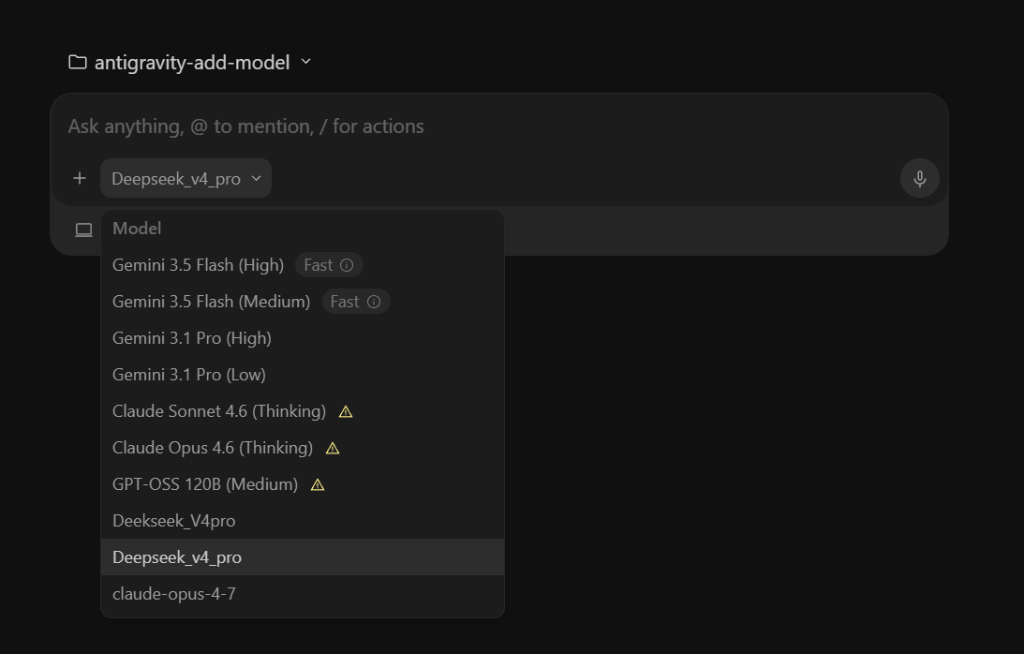
Custom models land in the chat picker
After the patch, saved models sit alongside the built-in ones in the chat picker.
Signals
Check the work
Every chip links to its source.
Capabilities
What you can do
Add external API providers and local models alongside Antigravity's built-in models.
Connect your providers
OpenAI, Anthropic, Gemini, OpenRouter, Cloudflare Workers AI, and other compatible APIs — custom endpoints included.
Local models (Ollama, LM Studio, vLLM)
Your models, your machine — no cloud calls. Local services run alongside hosted providers.
Tune requests
Protocols, reasoning settings, context and output limits, retries, fallbacks, and circuit breakers — fallback chains keep you moving when a quota runs out.
Subagent models
Custom child models with isolated routing for subagents.
Web dashboard gateway
Optional gateway with provider routing, request history, replay, charts, and cost estimates.
Share configuration
Validated JSON/base64 import and export — exports omit stored credentials.
How it works
Four moves, clone to first message
Check first, patch second — the installer never touches an unverified layout.
Check
Run node scripts/deploy.mjs --check first. It verifies compatibility and changes nothing.
Patch
node scripts/deploy.mjs applies the addon: validated hooks, version-specific backups, and automatic rollback of failed deployments.
Configure
Pick a provider preset, fetch the provider catalog, or discover local models. Enter your API URL and key when required.
Launch
Select your saved model from the chat picker — or route through the optional gateway for history and fallbacks.
Optional
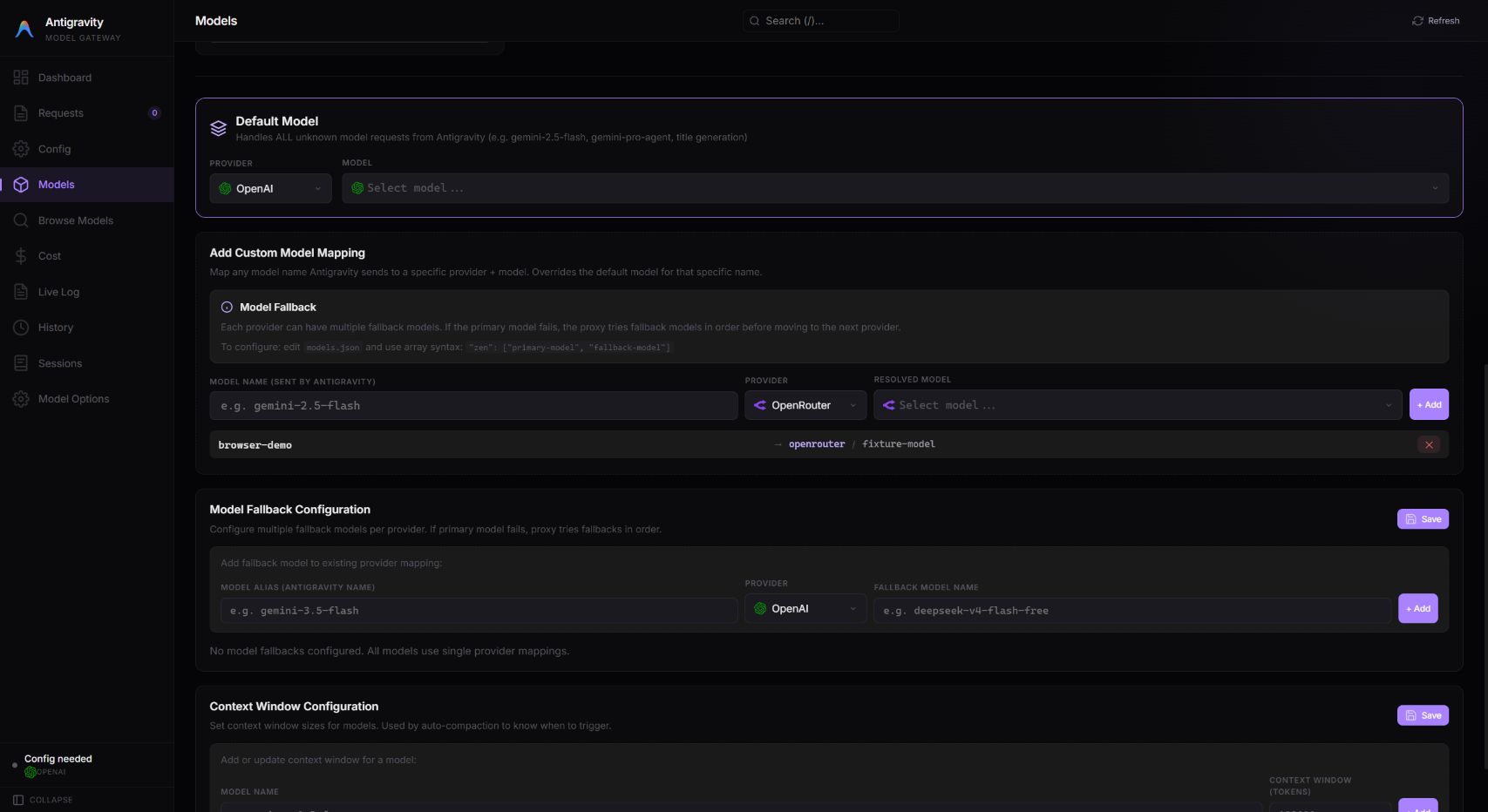
Gateway and web dashboard
The desktop addon connects directly to your providers. Add the gateway when you want centralized routing, browser management, request history, or a remote endpoint.
- Model aliases mapped to providers, with fallback models and context limits
- Request and session history with replay and charts
- Cost estimates for routed requests
- Authenticated remote access through a tunnel or a network endpoint
Two paths
Which Antigravity are you patching?
The standalone desktop app and the VS Code-based IDE patch differently. Pick your path.
Standalone desktop app
Desktop
Additive installer, validated hooks — no proxy required for custom models. The installer preserves the installed runtime and rolls back failed deployments.
VS Code-based
Antigravity IDE
Settings adapter, owned local proxy. Native model selection and streamed chat verified on Windows IDE 2.5.5 with a local OpenAI-compatible provider.
Community
Workers AI support was proposed by a user, tested, and shipped within 24 hours.
FAQ
Frequently asked questions
Top questions, answered with sources.
Can I use my own API key in Antigravity?
Yes. Antigravity Add Model is a free, open-source patch that adds custom providers — OpenAI, Anthropic, Cloudflare Workers AI, Ollama and any OpenAI-compatible endpoint — to the installed app. After the patch, your provider appears in your model dropdown.
Source: GitHub repo
Which versions are supported?
The standalone Windows IDE 2.5.5 is verified. Compatibility is version-sensitive — always run node scripts/deploy.mjs --check before installing.
Source: /docs/compatibility/
Is it free?
The patch is Apache-2.0 licensed. You pay only your own providers — OpenRouter, Ollama, or any API you already have.
Source: GitHub LICENSE
Star it. Fork it. Add your model.
Free, open source, Apache-2.0. Issues and pull requests welcome.