Use Ollama models in Antigravity
Pick a provider, add your key, and your model appears in the chat picker.
Can I use my own API key in Antigravity?
Yes. Antigravity Add Model is a free, open-source patch that adds custom providers — OpenAI, Anthropic, Cloudflare Workers AI, Ollama and any OpenAI-compatible endpoint — to the installed app. After the patch, your provider appears in your model dropdown.
Source: GitHub repo
Providers
Every provider preset, one table
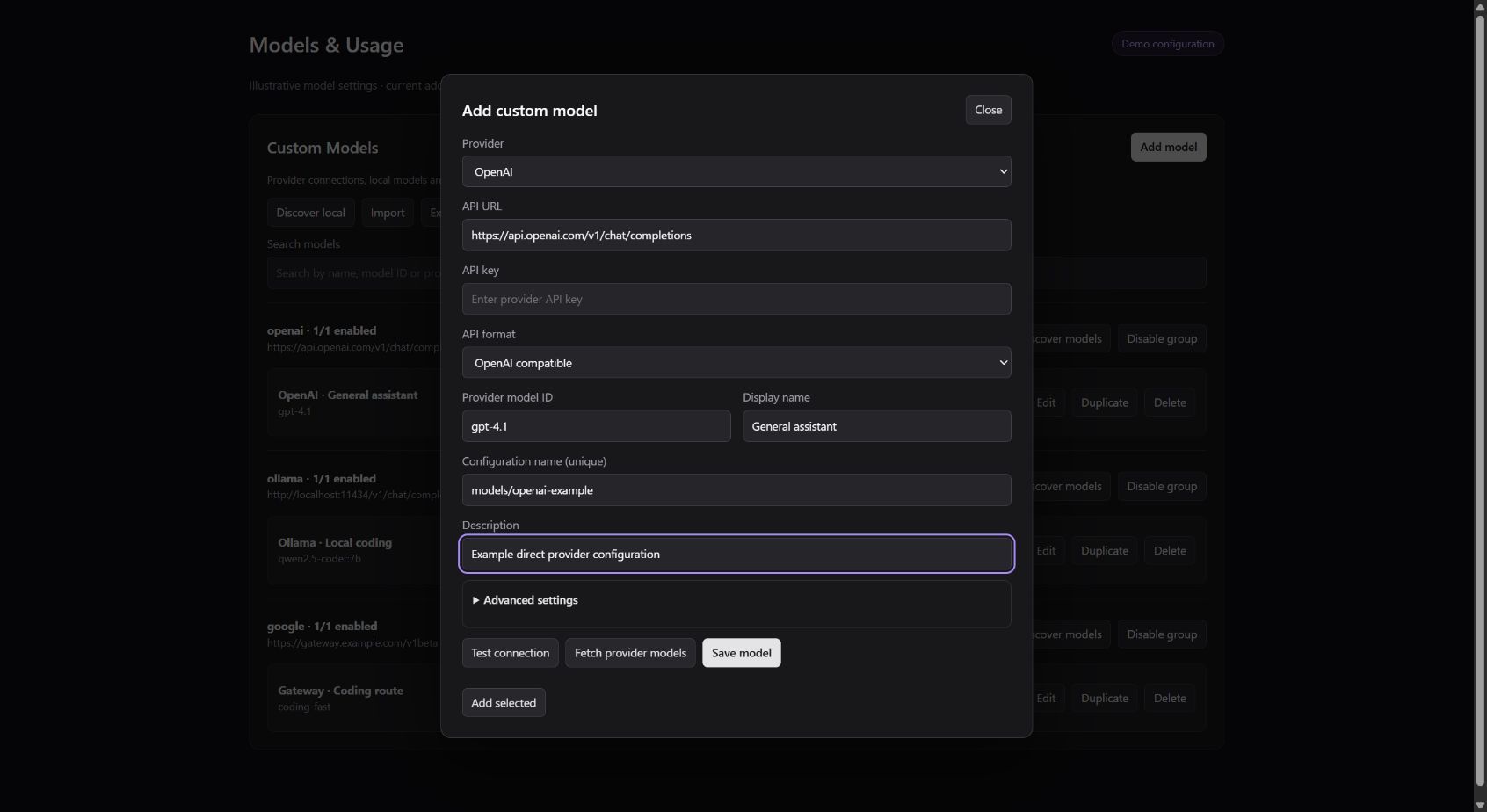
The preset fills the endpoint and API format; you enter your provider's API key and an exact model ID.
| Provider | Type | Preset | Notes | Docs |
|---|---|---|---|---|
| OpenAI | Cloud | openai | Direct hosted API in the OpenAI Chat Completions format; API key required. | Docs |
| Anthropic | Cloud | anthropic | Direct hosted API using the Anthropic Messages format; API key required. | Docs |
| Google Gemini | Cloud | Direct hosted API using the Google API format; API key required. | Docs | |
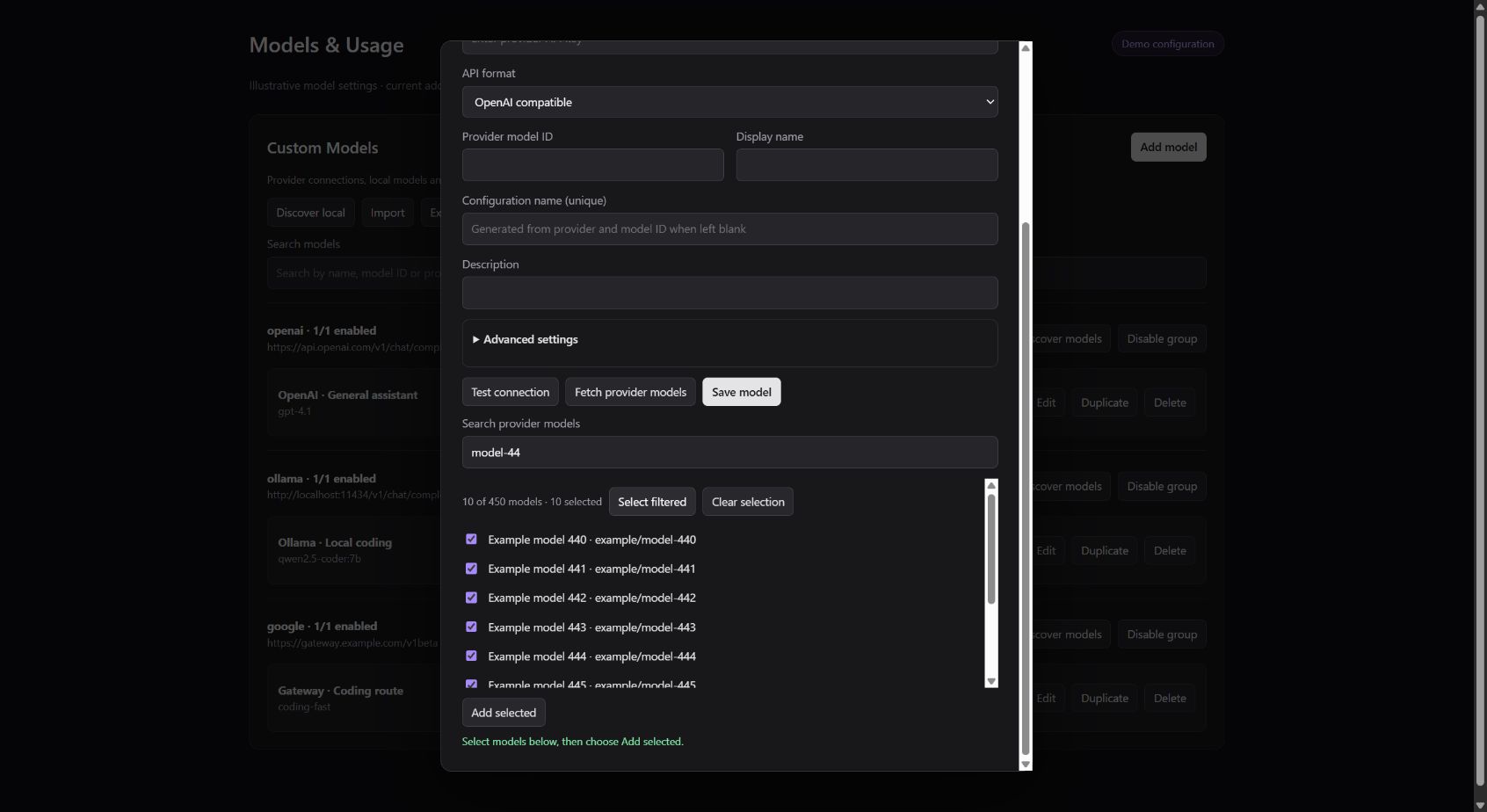
| OpenRouter | Cloud | openrouter | Multi-model service with a live catalog — fetch, search, and bulk-add models in the editor. | Docs |
| Cloudflare Workers AI | Cloud | workers-ai | Replace ACCOUNT_ID in the URL with your 32-character Cloudflare account ID; use a Workers AI API token. | Docs |
| DeepSeek | Cloud | deepseek | Direct hosted API; base URL https://api.deepseek.com/v1. | Docs |
| Moonshot / Kimi | Cloud | kimi | Direct hosted API; base URL https://api.moonshot.ai/v1. | Docs |
| Groq | Cloud | groq | Direct hosted API; base URL https://api.groq.com/openai/v1. | Docs |
| Mistral | Cloud | mistral | Direct hosted API; base URL https://api.mistral.ai/v1. | Docs |
| xAI | Cloud | xai | Direct hosted API; base URL https://api.x.ai/v1. | Docs |
| Cerebras | Cloud | cerebras | Direct hosted API; base URL https://api.cerebras.ai/v1. | Docs |
| Together AI | Cloud | together | Multi-model service; discovery selects chat models and reads their display names and context limits. | Docs |
| Hugging Face | Cloud | huggingface | Multi-model service via Inference Providers; use a token with Inference Providers calling permission. | Docs |
| SambaNova | Cloud | sambanova | Multi-model service; tool calling requires a compatible model. | Docs |
| SiliconFlow | Cloud | siliconflow | Multi-model service; international endpoint by default — use the endpoint matching your account. | Docs |
| Novita AI | Cloud | novita | Multi-model service; the current default API prefix is /openai/v1. | Docs |
| Alibaba Cloud Model Studio | Cloud | dashscope | Direct hosted API; Singapore/international endpoint by default — region, API key, and model availability must match. | Docs |
| Fireworks AI | Cloud | fireworks | Multi-model service; discovery reads the public fireworks account catalog. | Docs |
| Ollama | Local | ollama | Local server on localhost:11434 — no API key. Start it first, then use Discover local. | Docs |
| LM Studio | Local | lmstudio | Local server on localhost:1234 — no API key. | Docs |
| vLLM | Local | vllm | Local server on localhost:8000 — no API key. | Docs |
| LiteLLM | Local | litellm | Local proxy on localhost:4000 — route many providers through one OpenAI-compatible endpoint. | Docs |
| Custom endpoint | Other | custom | Any OpenAI-compatible endpoint or authenticated model gateway — you supply the URL. | Docs |
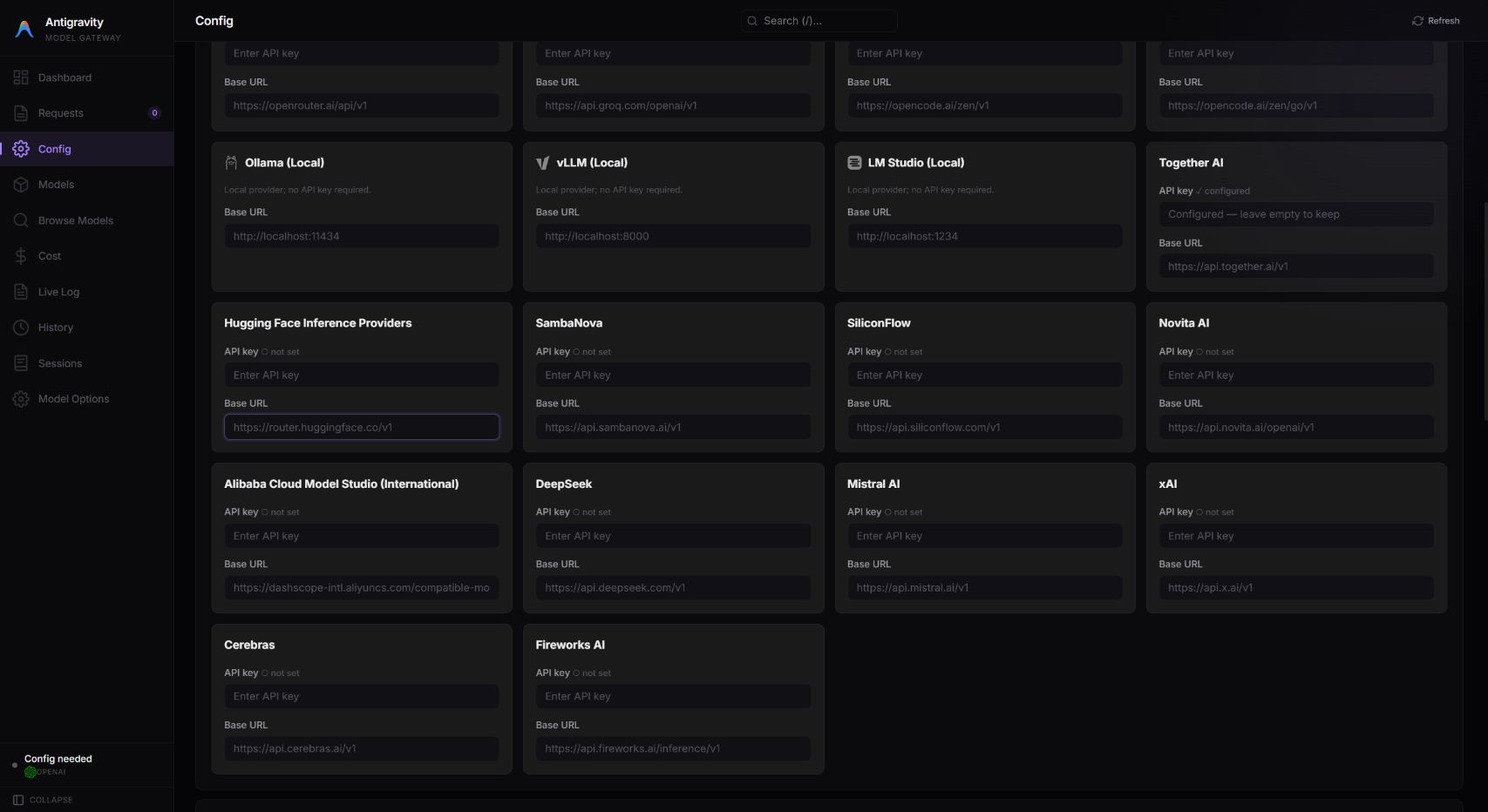
Preset names are the provider IDs from the addon's providers.ts. Endpoints, discovery behavior, and gateway credentials live inthe provider guide — and every preset installs the same way, so start with the quickstart.
Screens
Where providers get configured
The model editor, the provider catalog, and the gateway's provider settings.
Ready to add your first model?
Two commands check your version, then your provider appears in your dropdown.